
Copilot Money vs Hinder: the prettiest tracker vs the one that blocks
Copilot is the best-looking money app you can put on an iPhone. It is also, when you strip away the animations, still a mirror. Here is the honest comparison.
Open Copilot and you get why people love it. Smooth charts, smart categories that learn your habits, your investments and net worth in one clean view. It has the design awards to prove it. If a budgeting app is going to live on your home screen, this is the one you actually want looking back at you.
Hinder is not trying to win a design award. It is trying to stop you from spending money you said you would not spend. Different goal, different app. Here is where each one wins.
The short version
 Copilot Money
 HinderCopilot MoneyA beautiful trackerHinderA brakeCopilot Money$13/mo or $95/yrHinderFree to tryCopilot Money1 monthHinder1 weekCopilot MoneyiPhone, iPad, Mac, webHinderiPhoneCopilot MoneyNoHinderYesCopilot MoneyPeople who want insight and a gorgeous dashboardHinderPeople who want to be stopped, not informed
What Copilot does better than almost anyone
Copilot's pitch is that tracking should not feel like a chore, and it delivers. Transactions get auto-categorized by an AI that actually learns your corrections. You see cash flow, spending trends, subscriptions, and investment performance in one place, all of it animated and easy to read.
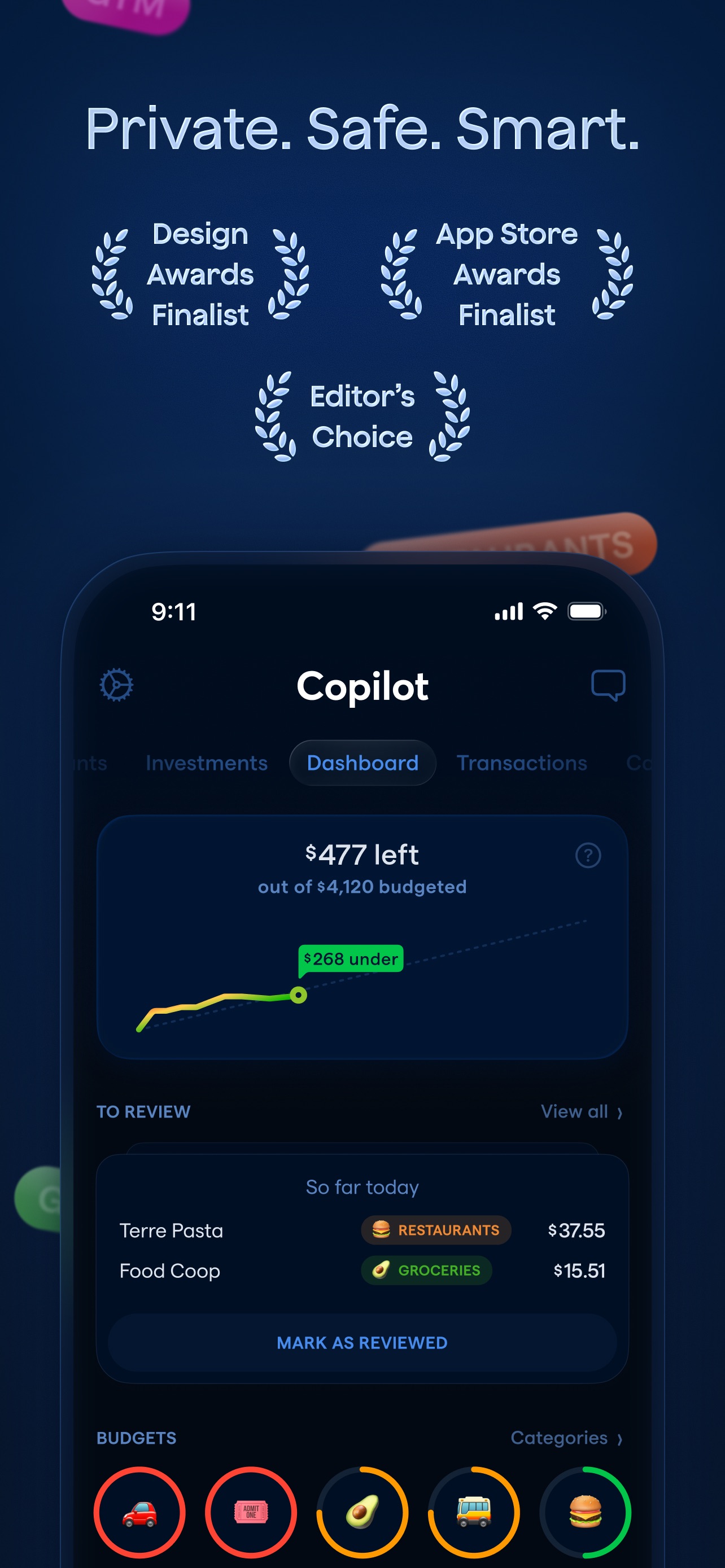
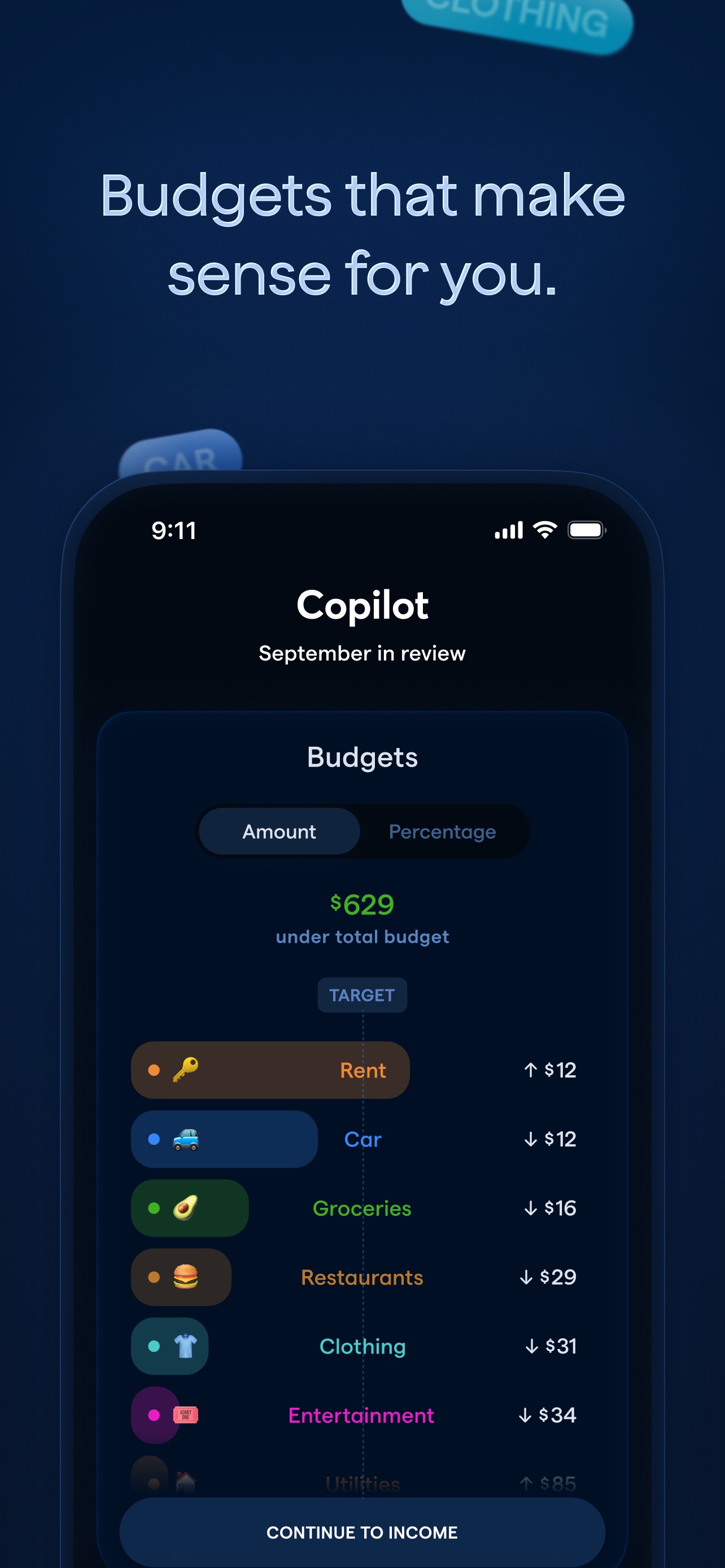
For seeing your money clearly, it is hard to beat. If your goal is understanding where it all went, Copilot is close to the top of the list.
The catch: the smartest mirror is still a mirror
Here is the thing about a beautiful dashboard. You still have to look at it, and then you still have to choose to do the right thing. Copilot will flash a category from green to red. It will tell you that you are 40 dollars over on Restaurants. It will not do anything when you open the food delivery app for the third time this week.
That is not a bug. Copilot is a tracker, and a very good one. But if your budget keeps failing at the moment of the purchase, a prettier chart of the damage is not the fix. You do not have a seeing problem. You have a stopping problem.
What Hinder does that Copilot cannot
Hinder connects to your bank through Plaid, watches your spending by category and by app, and when you cross a limit it blocks the apps you spend in. Not a red number. The app will not open. Blow your shopping budget and every shopping app you connected locks at the same time.
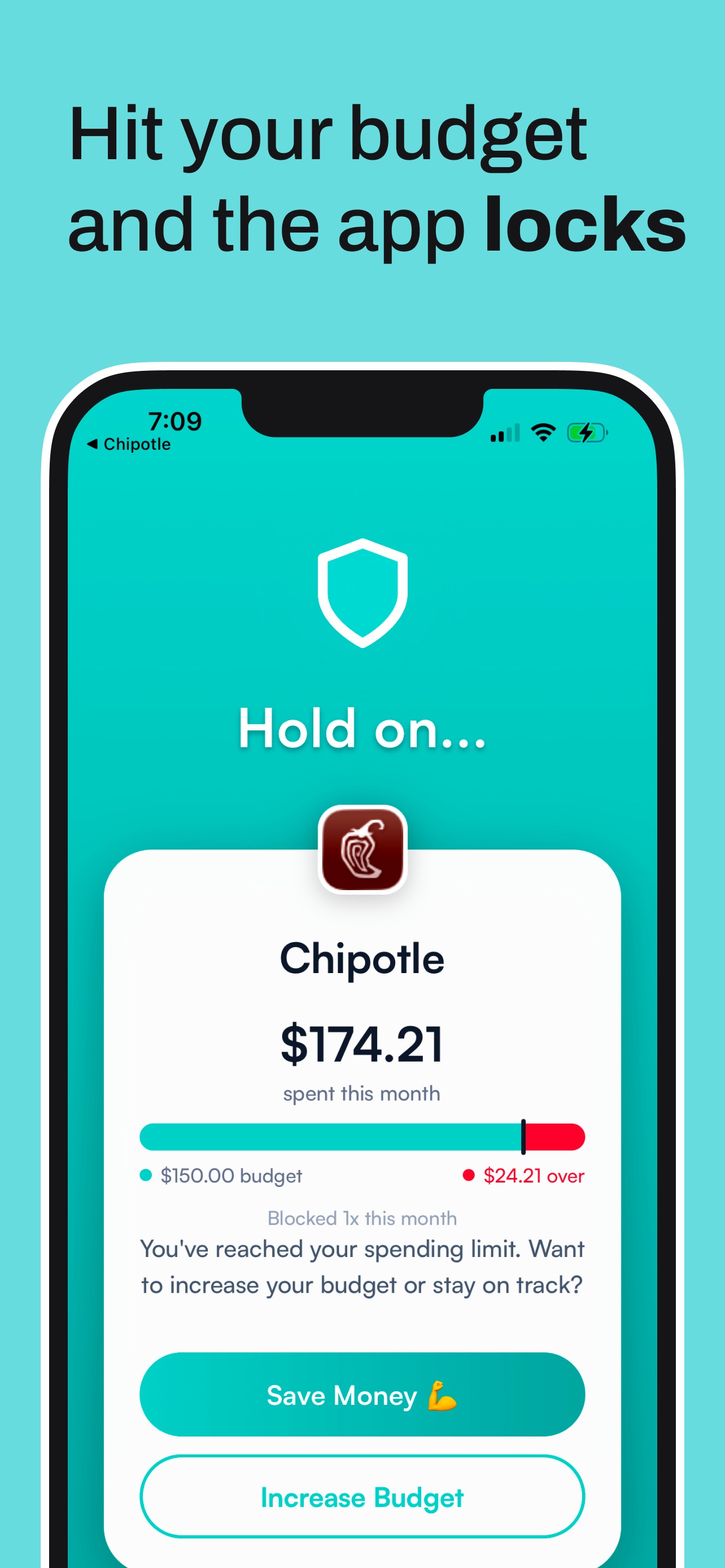
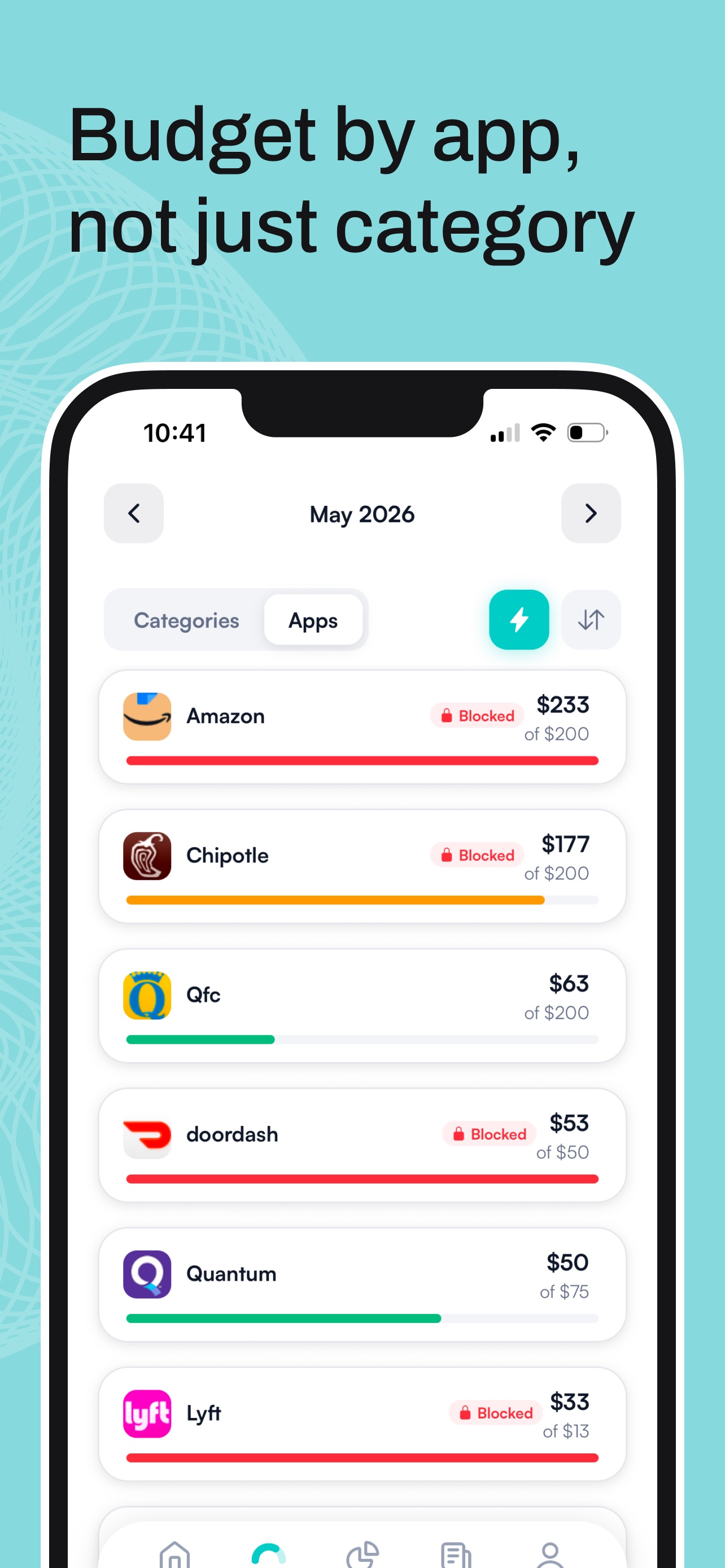
There is an override, on purpose, but it makes you sit with a quick “hold on” screen first. Enough friction that most impulse buys quietly die right there. Copilot is where you admire your money. Hinder is where you stop losing it.
Feature by feature
CopilotHinderCopilotNoHinderYesCopilotNoHinderYesCopilotYes, best in classHinderAutomatic, simplerCopilotYesHinderNo, on purposeCopilotYesHinderYes, via PlaidCopilotiPhone, iPad, Mac, webHinderiPhone onlyCopilot$13/mo or $95/yrHinderFree to tryWho should pick which
Pick Copilot if:
- You want the nicest dashboard money can buy.
- You track investments and net worth, not just spending.
- You live in the Apple ecosystem and want it everywhere.
- Seeing your money clearly is enough to keep you in line.
Pick Hinder if:
- You already see the problem and keep doing it anyway.
- Your overspending happens inside a few specific apps.
- You want a hard limit, not a helpful nudge.
- You are on iPhone and want to be set up in two minutes.
The honest answer: run both
Copilot and Hinder are not really competitors. One shows you the money, the other guards it. Use Copilot to understand your spending and watch your net worth climb. Use Hinder to make sure the plan survives contact with a boring Tuesday night.
New to Hinder? Start with which apps to block first, see the full field in our 2026 budgeting app comparison, or if you are on your way out of Copilot, read the best Copilot Money alternatives.
Common questions
Does Copilot Money block apps when you overspend?
No. Copilot is a tracker. It categorizes your spending, shows you trends, and nudges you when a budget runs low. It never blocks an app or stops a purchase. Hinder is the one that does that.
Is Hinder a good Copilot Money alternative?
If your problem is overspending rather than not knowing where your money goes, yes. Copilot is better for insights, investments, and net worth. Hinder is better at actually stopping the spend. They are built for different jobs.
Which is cheaper, Copilot or Hinder?
Copilot is 13 dollars a month or 95 dollars a year. Hinder is free to try. Price is not the deciding factor here, so pick on what you need the app to do.
Is Copilot Money only on iPhone?
Copilot is iPhone, iPad, Mac, and a newer web app. On Android you only get the limited web version. Hinder is iPhone only, because the blocking relies on iOS Screen Time.
Can I use Copilot and Hinder together?
Yes. Let Copilot be your beautiful dashboard for tracking and investments, and let Hinder handle the hard limit that stops you spending in the first place.