7 apps that actually stop you from spending money
Trackers tell you what you spent. These seven get in the way before the money leaves.
Apps that stop you from spending money come in two kinds: blockers that lock apps at set times, and one that locks them based on what you actually spent. Hinder is the only app that connects to your bank and physically blocks your spending apps the moment you go over budget. The other six add friction their own way, from a forced breath to a 72-hour cooldown to a well-aimed roast.
All seven at a glance
| App | How it stops you | Trigger | Price | Platform |
|---|---|---|---|---|
 Hinder Hinder | Locks spending apps when you cross your budget | Money, from your real bank data | Free to try | iPhone |
 one sec one sec | Forces a breathing pause before an app opens | Every open | Free tier; ~$3.99/mo | iPhone, Android |
 Freedom Freedom | Blocks apps and sites during sessions | Time, on a schedule | Free tier; ~$3.33/mo annual | iPhone, Android, Mac, Windows |
 AppBlock AppBlock | Blocks apps and sites with profiles | Time or location | Free tier; paid premium | iPhone, Android |
 CartPause CartPause | Holds wanted items in a cooldown cart | A 24 to 72 hour timer per item | Free for 5 items; $1.99/mo | iPhone |
 Shop Locked Shop Locked | Locks shopping apps outside a set window | Time of day | Free with in-app purchases | iPhone |
 Cleo Cleo | Roasts your spending in chat | Nothing, it just talks | Free tier; ~$5.99/mo | iPhone, Android |
Hinder- How it stops you
- Locks spending apps when you cross your budget
- Trigger
- Money, from your real bank data
- Price
- Free to try
one sec- How it stops you
- Forces a breathing pause before an app opens
- Trigger
- Every open
- Price
- Free tier; ~$3.99/mo
Freedom- How it stops you
- Blocks apps and sites during sessions
- Trigger
- Time, on a schedule
- Price
- Free tier; ~$3.33/mo annual
AppBlock- How it stops you
- Blocks apps and sites with profiles
- Trigger
- Time or location
- Price
- Free tier; paid premium
CartPause- How it stops you
- Holds wanted items in a cooldown cart
- Trigger
- A 24 to 72 hour timer per item
- Price
- Free for 5 items; $1.99/mo
Shop Locked- How it stops you
- Locks shopping apps outside a set window
- Trigger
- Time of day
- Price
- Free with in-app purchases
Cleo- How it stops you
- Roasts your spending in chat
- Trigger
- Nothing, it just talks
- Price
- Free tier; ~$5.99/mo
1. Hinder: blocks apps based on money, not the clock
Free to try · iPhone · Trigger: your actual spending
Every other app on this list asks you to predict when you will be weak. Hinder does not guess. It connects to your bank through Plaid, tracks spending by category and by app, warns you at 80% of your limit, and at 100% it uses iOS Screen Time to physically lock the apps you overspend in. Blow your food delivery budget and every delivery app you connected freezes at once.
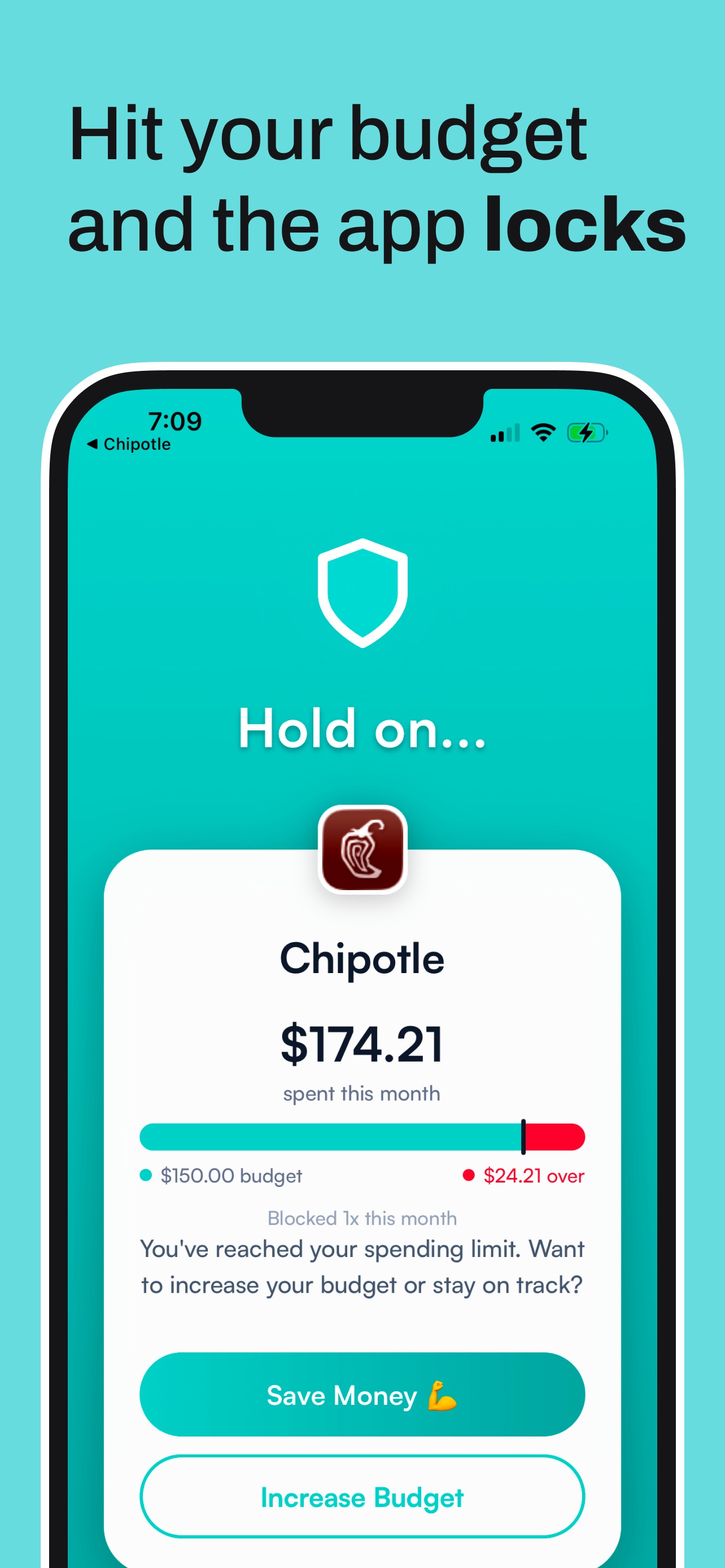
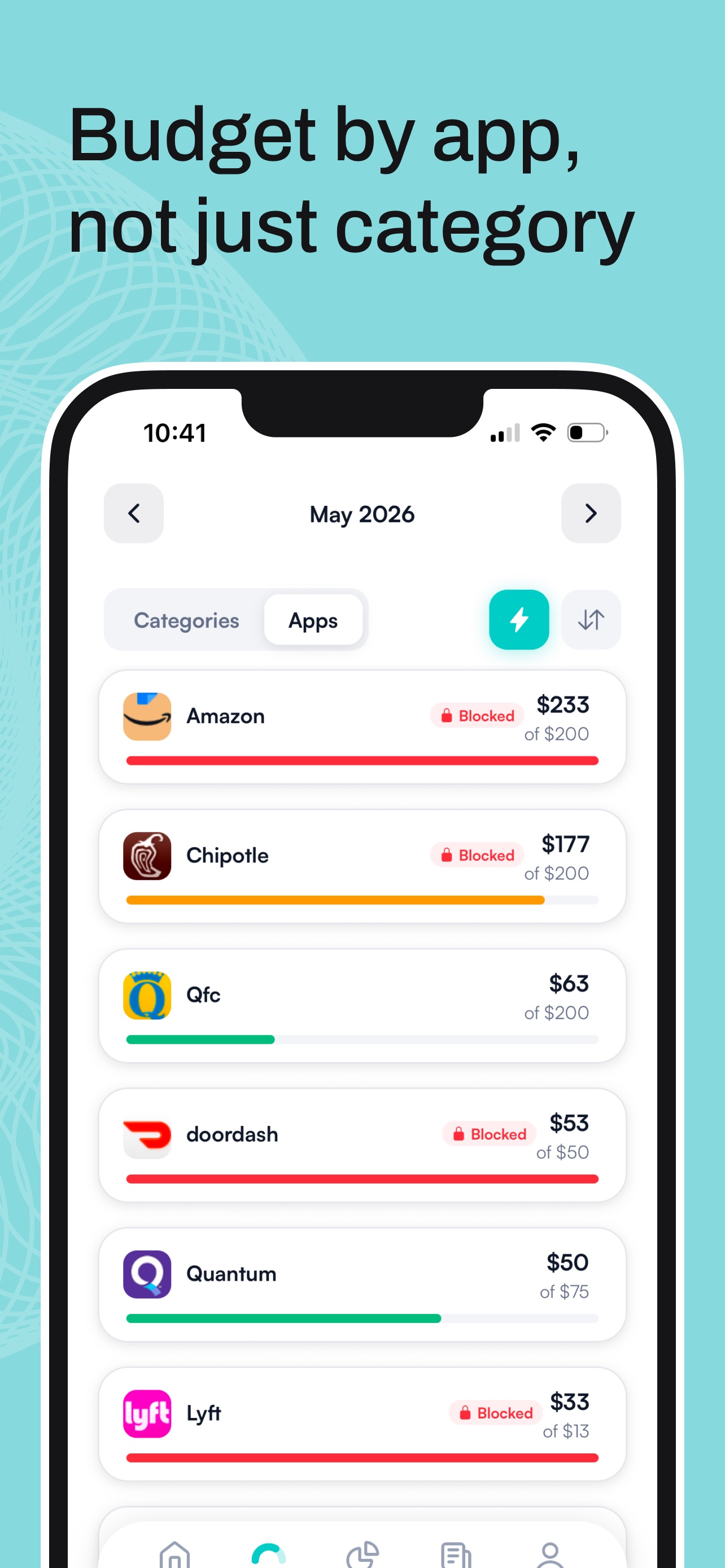
We have written whole guides on using it against the worst offenders: stopping DoorDash overspending and blocking Amazon on iPhone.





2. one sec: a forced breath before the app opens
Free tier; ~$3.99/mo · iPhone, Android · Trigger: every open
one sec intercepts the apps you choose and makes you take a slow breath before they open, then asks if you still want in. It is four seconds, and it is surprising how often four seconds is enough to close Amazon instead. A peer-reviewed study with the Max Planck Institute found it cut social media opens by more than half. Free for one app, premium around $3.99 a month.
3. Freedom: scheduled blocking on every device
Free tier; ~$3.33/mo annual · iPhone, Android, Mac, Windows · Trigger: a schedule
Freedom blocks apps and websites in sessions that sync across phone and computer, and its Locked Mode stops you from bailing out of a session early. Schedule shopping sites to be gone every evening and they are gone everywhere. About $3.33 a month billed annually; the free plan works but cannot schedule.
4. AppBlock: schedules and profiles, strongest on Android
Free tier; paid premium · iPhone, Android · Trigger: time or location
AppBlock runs blocking profiles on schedules, and blocks can even start by location, so shopping apps can die the moment you get home to your couch. It is the pick if you are on Android, where Hinder does not exist yet. Free tier with limits, premium removes them.
5. CartPause: a 72-hour cooldown on everything you want
Free for 5 items; $1.99/mo · iPhone · Trigger: a per-item timer
CartPause replaces buying with sharing: send any item from any store into it, and a 24 to 72 hour timer starts. When the timer ends you decide if you still want the thing, and mostly you do not. Free for five paused items, $1.99 a month after that.
6. Shop Locked: shopping only during shopping hours
Free with in-app purchases · iPhone · Trigger: time of day
Shop Locked flips the model: you pick a shopping window, and outside it your chosen shopping apps and sites are locked with Screen Time. Impulse buying at 11pm mostly stops when shopping closes at 8. Everything stays on your device, free to download with in-app purchases.
7. Cleo: a roast, not a lock
Free tier; ~$5.99/mo · iPhone, Android · Trigger: nothing
Cleo is the soft option. It will not lock anything, but roast mode reads your week in delivery orders back to you with genuine contempt, which is its own kind of friction. If shame works on you, it is free to start and Cleo Plus runs about $5.99 a month.
Time-based blocking vs money-based blocking
Here is the line that actually matters. Freedom, AppBlock, and Shop Locked lock apps by the clock. That works until the urge shows up outside the schedule, because a schedule does not know your balance. A blocked Tuesday evening means nothing to a paid Friday.
Hinder is the only app here triggered by money. It watches real transactions from your bank, and the block starts when the spending crosses the budget, whatever time it is. Under budget, nothing is locked and you order dinner in peace. Over budget, the apps stop opening. Nobody else does budget-triggered blocking.
Common questions
What app stops you from spending money?
Hinder is the only app that blocks based on your actual spending. It connects to your bank, and when you cross your budget the spending apps you picked stop opening. Everything else on this list adds friction on a schedule or a timer instead.
Are there free apps that block spending?
Most of these have free tiers. Freedom, AppBlock, and one sec are free with limits, CartPause is free for five paused items, and Hinder is free to download and try.
What is the difference between an app blocker and a spending blocker?
An app blocker locks apps at set times, whether or not you have money left. A spending blocker reacts to money actually leaving your account. Hinder is the only app here that does the second.
Can an app really block Amazon or DoorDash?
Yes. On iPhone, apps with Screen Time permission can lock other apps behind a block screen. Hinder does it automatically the moment your shopping or food delivery budget runs out.
Do spending blocker apps work on Android?
Some do. AppBlock, Freedom, one sec, and Cleo all run on Android. Hinder is iPhone only, because it uses iOS Screen Time to do the actual blocking.